One workspace for your entire business
Oplero puts tasks, time tracking, invoicing, quotes, CRM, helpdesk and email campaigns under one roof. Turn on only the modules you need and stop paying for five tools that don't talk to each other.
- No credit card required
- Unlimited users
- Unlimited tasks
- Unlimited automations
- All 10 modules
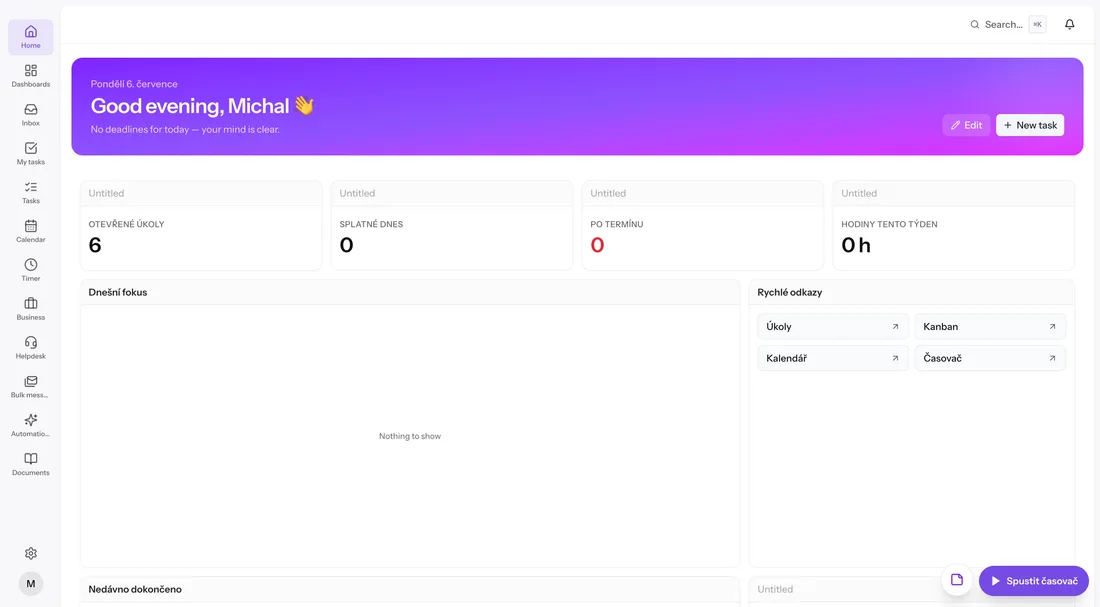
One login instead of five subscriptions
ClickUpTask managementTogglTime trackingFreshBooksInvoicingZendeskHelpdeskMailchimpEmail campaigns
Ten modules. One source of truth.
Every module works on its own and gets better next to the others. Tracked time flows into invoices, tickets link to tasks, quotes convert to projects. Pick what your team needs today and add the rest later.
Plan work the way your team actually thinks
Organize everything into spaces, folders and lists, then look at the same tasks as a list, kanban board, calendar, table, Gantt chart, form or doc. Custom statuses, custom fields and saved filters mean the tool bends to your process, not the other way around.
- Seven views on the same data, from kanban to Gantt
- Checklists, comments, attachments and watchers on every task
- Custom fields including formulas, money and ratings
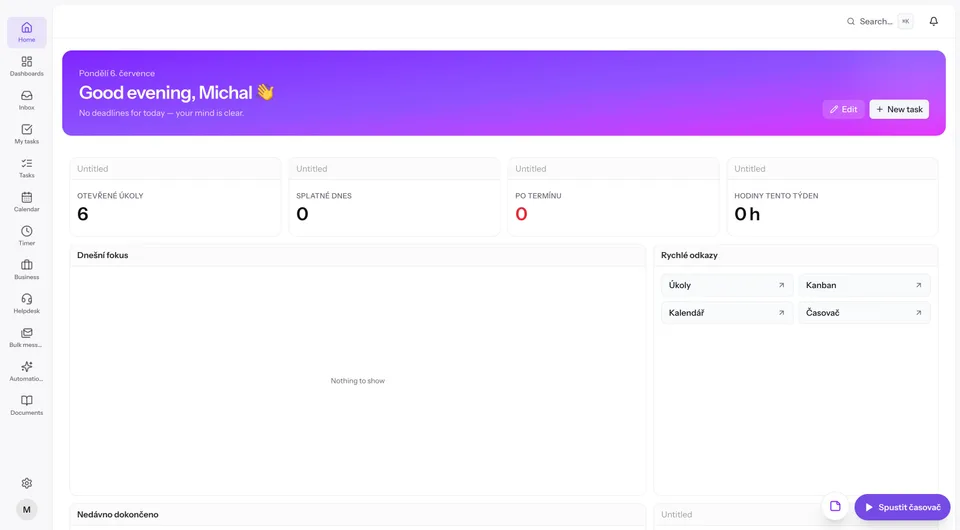
Tracked time becomes a paid invoice, automatically
Start the floating timer anywhere in the app. Aggregate the hours into a timesheet report, share it with the client via a public link, get it approved and turn it into an invoice with a QR payment code. When the bank notification arrives, Oplero matches the payment and marks the invoice paid.
- Timer → timesheet report → approval → invoice, no re-typing
- PDF invoices with scan-to-pay QR codes
- Incoming payments auto-matched by payment reference and amount
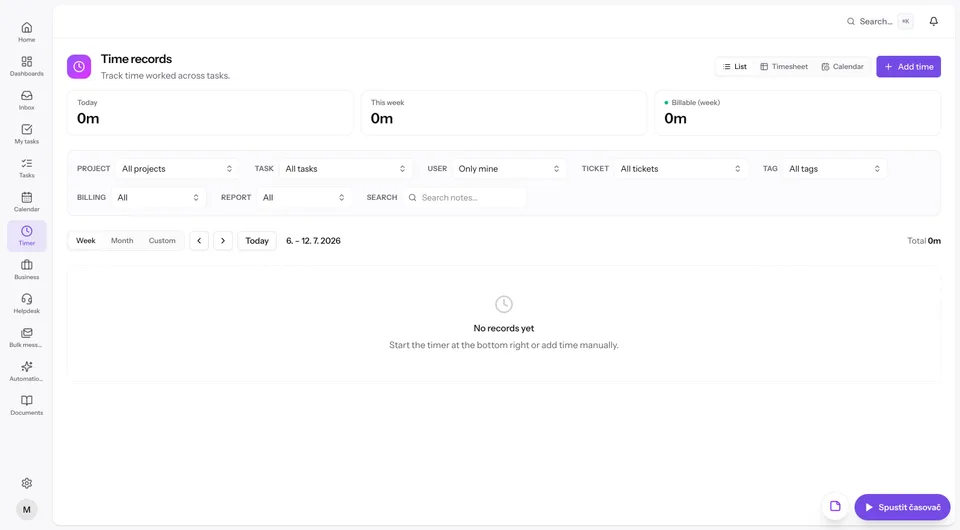
A real helpdesk, not a shared inbox
Connect your support mailboxes and every email becomes a ticket with the full conversation thread, internal notes and canned responses. Clients follow their tickets on a public link or log into a branded portal with a magic link, where company owners also see their invoices and reports.
- Multiple IMAP/SMTP mailboxes, tickets created from email automatically
- Client portal on your own domain with your branding
- Overview dashboard: open, unassigned, waiting, average first response
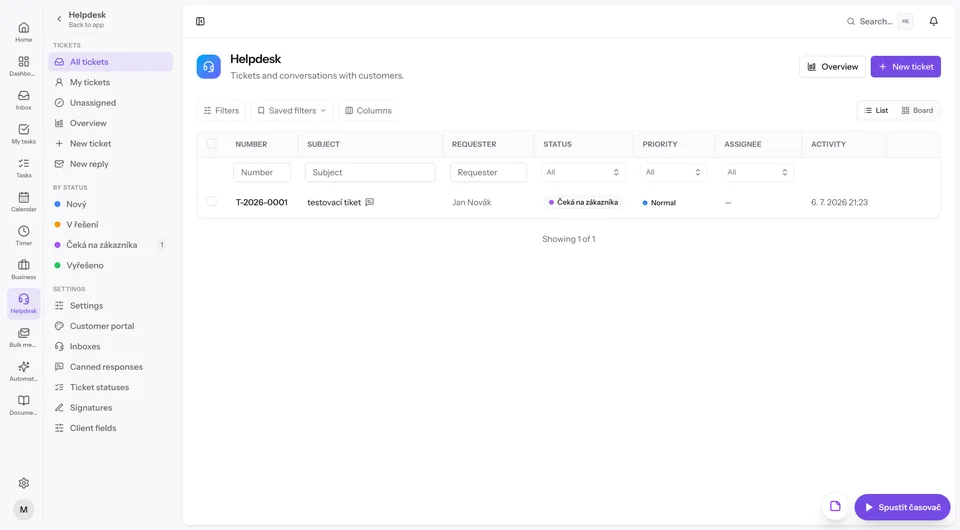
Turn on only what you need
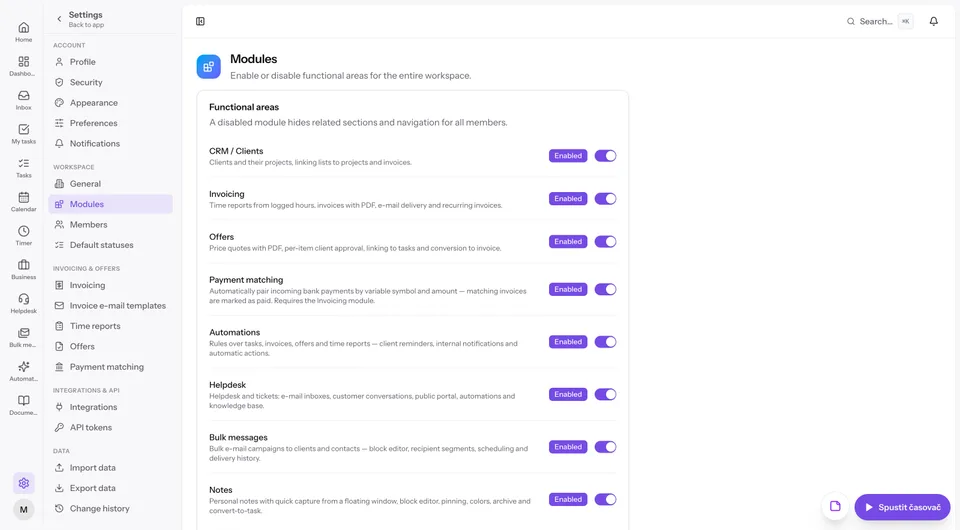
Every functional area can be switched on or off for the whole workspace in Settings → Modules. A disabled module disappears from navigation for everyone, so the app stays exactly as big as your business. Tasks, calendar, timer and documents are always there as the core.
- Enable or disable each module with one switch
- Disabled modules hide their screens and navigation for all members
- Start small, add invoicing or helpdesk when you're ready
Fast, safe and everywhere you work
Oplero is a local-first PWA with real-time sync and companion apps, so your data keeps up with you on a train, at a client's office or on your phone.
Works offline
PWA with an offline shell and a change queue that syncs back the moment you reconnect.
Command palette
Hit ⌘K to search and jump across projects, tasks and documents without touching the mouse.
Dark mode
Light and dark themes across the whole app. Your eyes pick, Oplero remembers.
2FA and passkeys
TOTP two-factor auth with backup codes plus passkeys (WebAuthn). Workspace data is fully isolated.
Real-time sync
WebSockets keep timers, notifications and campaign progress in sync across all your devices.
Built for European businesses
Company registry lookup, QR payment codes on invoices and automatic payment matching from bank notifications.
English and Czech
Full localization at the workspace level. The language drives the UI and every email you send.
Mac app and API
A native macOS companion app with local sync, powered by REST API v1 with Bearer tokens. On your phone, Oplero installs as a PWA.
Oplero on Mac, iPhone, iPad and Android
One workspace, all your devices. On the Mac you download a native app; on phones and tablets Oplero installs straight from the browser as a PWA — no app store needed.
Oplero lives in your Mac's menu bar
The native macOS companion app keeps the timer one click away, syncs locally with your workspace and works even when the browser is closed. Start tracking from the dock, jot a note, and everything lands in Oplero.
- One-click timer without opening the browser
- Local sync — changes upload the moment you're online
- Secure sign-in with Bearer tokens (PKCE)
- iPhonePWA
Open app.oplero.com in Safari and tap Share → Add to Home Screen. Oplero then runs as a full app — with its own icon, notifications and offline mode.
- iPadPWA
Same install as on iPhone, but the interface adapts to the big screen. Great for the calendar, tickets and work in progress on the go.
- AndroidPWA
Chrome offers the install itself — tap Install app and Oplero lands on your home screen like any other app, offline change queue included.
The PWA updates itself with every release — no waiting for app store approval.

The tool we built for ourselves
Oplero was created by Michal Folprecht for our agency Prestaservis, where we build and manage PrestaShop e-shops. We needed one place for tasks, helpdesk, CRM and invoicing — and because nothing fit together, we built it ourselves. Today our whole day runs in Oplero, and we share it with teams that face the same thing.
- Tasks and projects for client work
- Helpdesk for e-shop tickets and support
- CRM with a clear view of every client
- Invoicing tied to the work you actually did
Made for teams that bill for their time
Agencies, IT and service companies, freelancers and small teams run their whole operation in Oplero. See how it fits yours.
Frequently asked questions
What is Oplero?
Oplero is an all-in-one work management app: tasks and projects, calendar, time tracking, invoicing, quotes, CRM, helpdesk, email campaigns, automations and documents. It replaces the 4–5 separate tools small companies usually stitch together.
Who is Oplero for?
Freelancers, agencies, IT and service companies and small teams — anyone who tracks work, bills for time and talks to clients. It's modular, so a solo freelancer and a 20-person agency can both make it fit.
Is it really free?
Yes. Oplero is completely free during the current beta phase — all modules, unlimited users, no credit card. After the beta we plan a simple price of $1.99 per user per month, and early users will get advance notice and fair conditions.
Can I import my existing data?
Yes. Oplero imports data from CSV and Excel files with a preview and an error report, and you can export your data back out at any time. A REST API is available for anything custom.
Does it work offline?
Yes. Oplero is a PWA with an offline shell and a queue of changes that syncs automatically when you're back online. Install it on your phone straight from the browser, and grab the native macOS app for your desktop.