Planning
See the whole week before it happens
The calendar shows every task deadline in month or week view, colored by status. The best part sits in the sidebar: all your unscheduled tasks, grouped by project or assignee, waiting to be dragged onto a day.
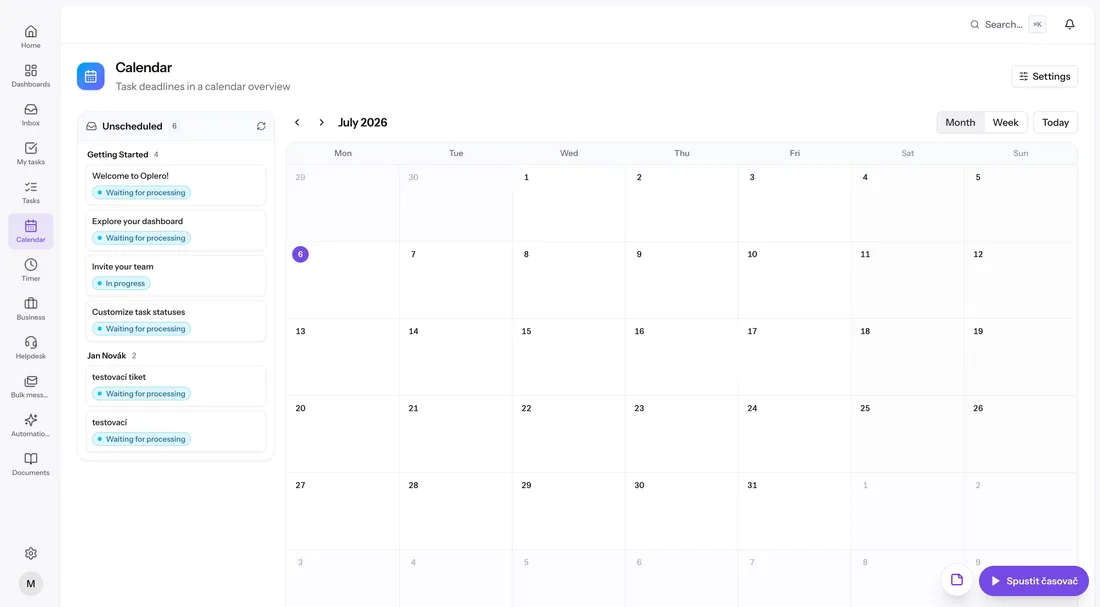
Unscheduled work, finally visible
Tasks without a date usually vanish. In Oplero they wait in a sidebar grouped by project or assignee, and scheduling one is a single drag into the calendar. Rescheduling works the same way — grab the task, drop it on the new day.
- 'Unscheduled' sidebar grouped by project or assignee
- Drag and drop to schedule or reschedule
- Jump back with the Today switch
Status at a glance
Every task in a calendar cell carries its status color, so a glance at the month tells you what's done, what's moving and what's stuck. Switch between month and week views depending on how far ahead you're planning.
Everything included
- Month and week views
- Today quick switch
- Unscheduled sidebar grouped by project or assignee
- Drag and drop scheduling
- Drag and drop rescheduling
- Status colors directly in calendar cells
- Tasks shown by their deadlines
- Part of the always-on core, no setup